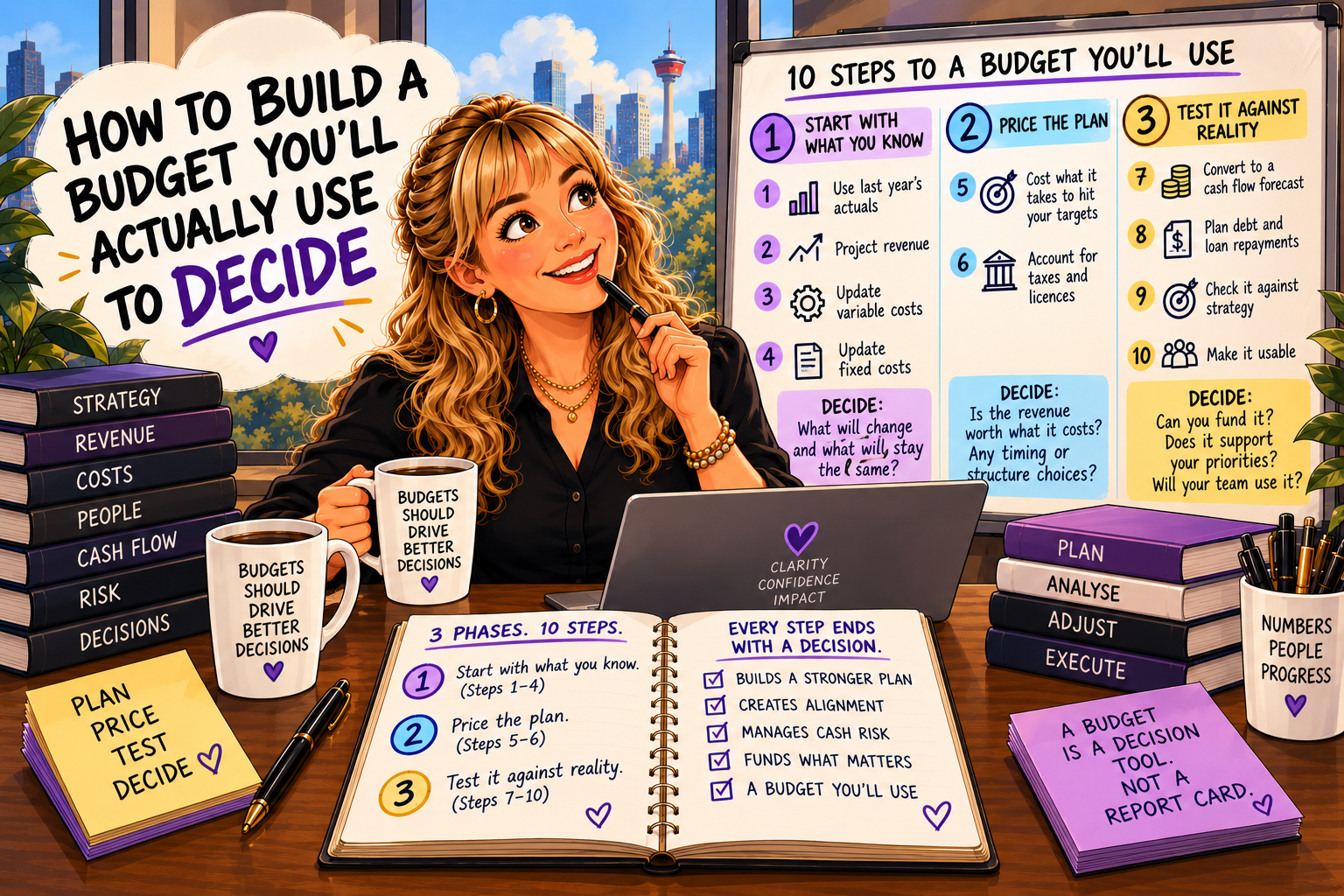
How to Build a Budget You’ll Actually Use to Decide
We know how hard it is to start a budget.
It can seem like standing at the bottom of a mountain. People are busy. Change is tough on teams. And the process takes time you don’t feel you have.
So most budgets get built once, filed away, and pulled out only to explain what went wrong.
That’s backwards.
A budget isn’t a report card. It’s a decision tool.
Here’s how to build one in ten steps and three phases:
Start with what you know.
Price the plan.
Test it against reality.
Each step ends with a decision. If a step doesn’t help you decide something, you’re doing busywork.
Haven’t set your budget type, build approach, and roles yet? Start with Part 1: The Budget Conversation to Have Before the Numbers.
Phase 1: Start with what you know
Step 1: Start with last year’s actuals
History tends to repeat itself. Your actual results already capture seasonality, one-time annual costs, and the real drivers of your business.
It’s the fastest way to build momentum.
The decision: what from last year won’t happen again, and what will?
You guessed it. This step is an easy starter if you have accurate month-end closes and records for each period you are building the budget on. If not, add this to the list of reasons keeping on top of timely, accurate financials pays off.
Step 2: Project revenue
Update expected sales based on your strategy and the market. Estimate new initiatives separately: new products, services, customers, or regions.
Many businesses apply a growth percentage to existing sales lines to reflect new customers or price increases.
The decision: which growth bets are you funding this year? Be specific about them. And be realistic too: you can’t do it all, or at least not at once, so if you want to see an increase across the board, it may be less than if you focus investments, strategies, and initiatives at times of the year.
Step 3: Update variable costs
Variable costs move with revenue: inventory, supplies, commissions, some marketing. They’re often set as a percentage of sales.
Update the rates for pricing changes, supplier changes, and new initiatives.
The decision: where can margin improve, and who owns it?
Step 4: Update fixed costs
List what you pay regardless of sales: rent, utilities, salaries, software. Add costs tied to new initiatives.
The decision: which fixed costs are you committing to, and which could you walk away from if revenue slips?
Phase 2: Price the plan
Step 5: Cost what it takes to hit your sales targets
Ambitious targets don’t fund themselves. Review:
Marketing and advertising. What will it cost to reach the customers in your revenue plan?
Technology and equipment. What does the team need to deliver?
People. Who do you need to hire, and what will it take to attract and keep great people?
Contingency. Build a buffer for what you can’t see coming.
The decision: is the revenue worth what it costs to get it? If not, change the target, not just the spreadsheet.
Step 6: Account for taxes and licences
Don’t forget to pay the government. Include taxes, licences, and permits.
The decision: are there timing or structure choices to discuss with your accountant before year-end?
Phase 3: Test it against reality
A profit and loss budget tells you whether you’ll make money. It doesn’t tell you whether you’ll have money.
These four steps are where most budgets fail, and where the real decisions happen.
Step 7: Convert it to a cash flow forecast
Map when you’ll actually collect, pay, and fund deposits. Timing differences can stress the bank even in a profitable year.
The decision: can you fund this plan? If the cash doesn’t work, go back and change the budget now, not in June.
This is the most important gate in the process.
Step 8: Plan debt and loan repayments
Include every repayment and check it against your cash flow.
The decision: do you need financing, and when do you need to start that conversation?
Step 9: Check it against strategy
Step back and look at the full draft.
The decision: does this budget fund what you said matters most? If your top priority is barely funded, it isn’t your priority.
Step 10: Check it’s usable
A budget nobody uses wastes weeks.
The decision: can your team run the business with this? Which numbers will you review monthly, and which decisions will they trigger?
Build it to decide
Budget season often runs for weeks and involves many people. That time is only worth it if the budget changes what you do when the time comes. At times it is a plan. More often, and when used well, it starts a conversation.
So build it in three phases:
Start with what you know.
Price the plan.
Test it against reality.
And decide every step.
Next in this series: Stop Explaining Variances. Start Making Decisions.
Jamie L Smith